

Web Marker - Draw on Websites
Draw on any webpage in real time! Easily add highlights, shapes, and notes directly to your screen. Your work stays saved on the page, even after you close the tab. Perfect for studying, teaching, designing, or just doodling.




Why You’ll Love It
All the tools you need in one place, with a thoughtful design that stays out of your way.

Draw Anywhere
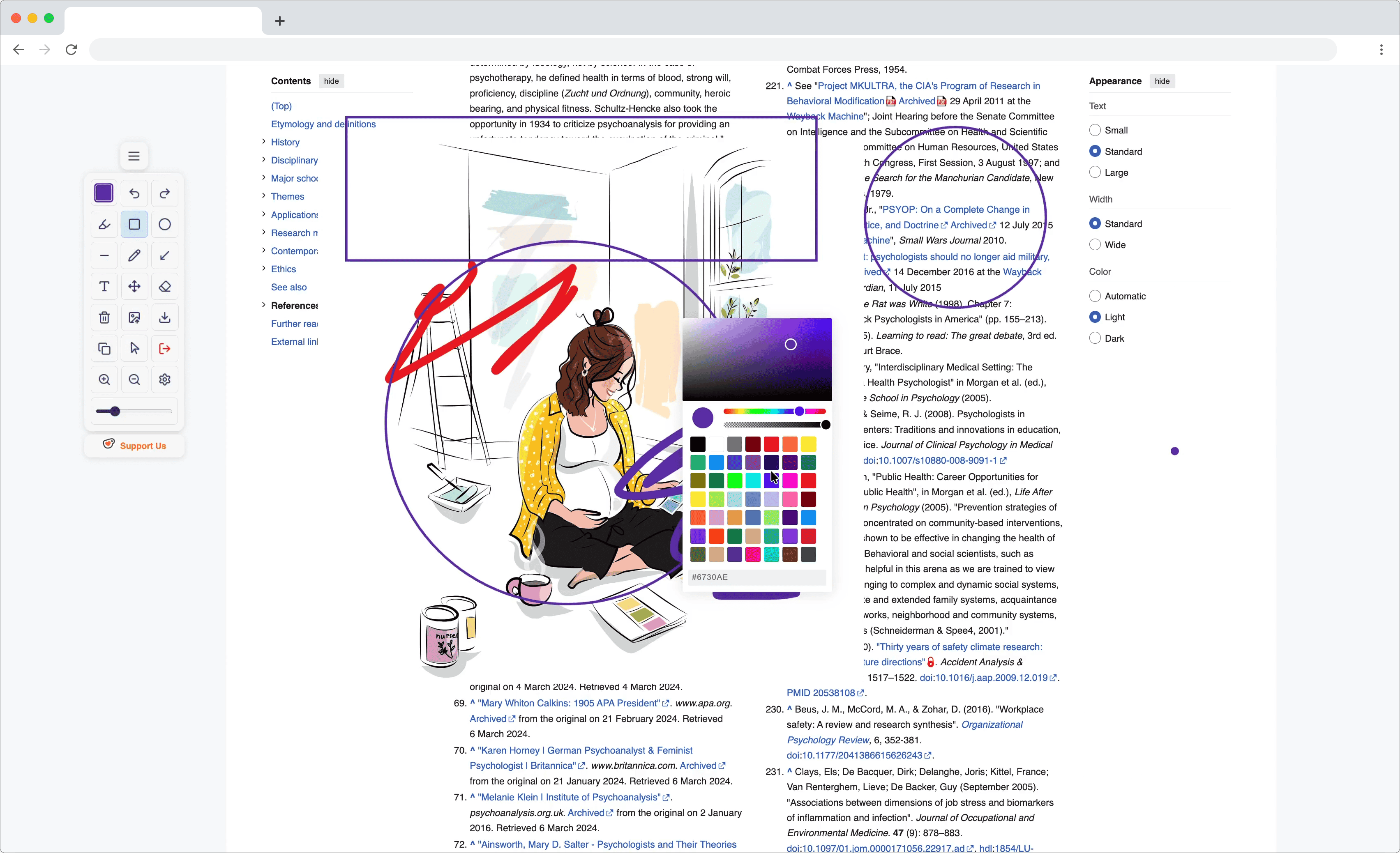
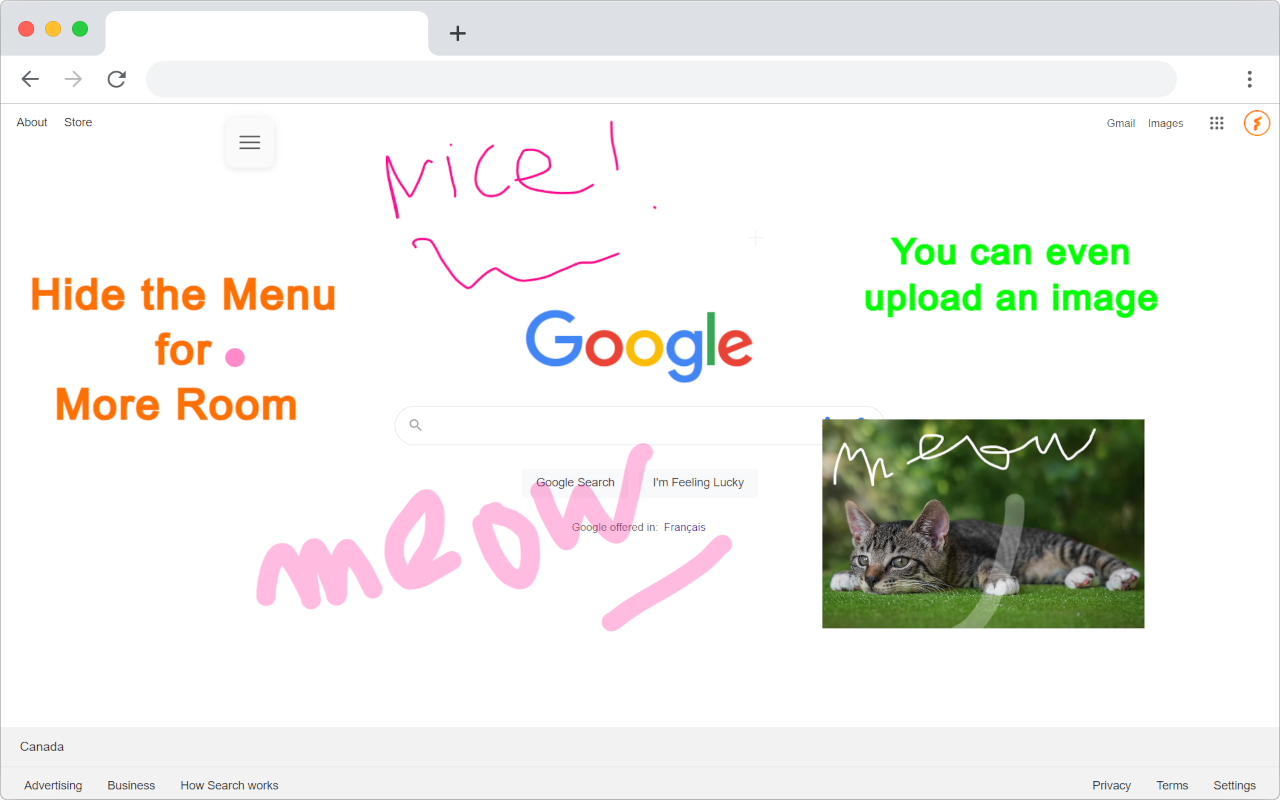
Pick any color and start drawing on almost any website. You have access to hollow and filled shapes, including squares and circles, plus a full set of creative tools.

Scroll & Stylus Friendly
Scroll up and down smoothly while you draw. If you use a stylus, it works beautifully with Web Marker for a natural handwriting feel.

Persistent Drawings & Safety
Your drawings stay on each website, even when you return later. You can also turn on a safety prompt to confirm before closing a page that still has your work.

Save Your Defaults
Set your preferred drawing color, pencil size, marker size, and shape size once. They stay saved so you never have to adjust them again.

Movable Menu
Drag the menu wherever you like. It automatically adjusts to fit your screen, so your tools are always close at hand without blocking your view.

Undo, Redo & Capture
Undo mistakes and redo changes quickly. Move, resize, and recolor your drawings freely. Capture your work as a high quality image with one click.
Completely Free, Supported by You
Web Marker is free and always will be. We do not collect any of your information, and your privacy is always protected. The tool lives thanks to generous donations from people like you who find it helpful.
Frequently Asked Questions
Got questions? We've got answers. If you don't find what you're looking for, feel free to reach out.
What is Web Marker and how does it work?
Web Marker is a free browser extension that lets you draw, highlight, and annotate directly on any webpage in real time. Once installed, just click the extension icon or use the keyboard shortcut to activate the toolbar. Pick a color and tool pen, highlighter, shapes, or text and start marking up the page. Your drawings are stored locally on your device, so they persist even after closing the tab, and absolutely nothing is uploaded to any server.
Is Web Marker really completely free? What's the catch?
Yes, 100% free, forever. There are no hidden fees, no premium tiers, no ads, and no data collection. Web Marker is a passion project supported entirely by voluntary donations from users who find it valuable. You get every feature without paying a cent, and your privacy is never compromised in exchange.
What makes Web Marker different from other annotation tools?
Unlike screenshot-based annotation tools, Web Marker lets you draw directly on the live webpage while still being able to scroll, interact, and browse normally. Key advantages include persistent drawings that survive tab closes, a movable toolbar that never blocks your view, stylus-friendly pressure handling, no ads, no account required, and zero data collection.
Will my drawings stay on the page after I close the tab?
Yes! All your drawings, highlights, and annotations are saved locally in your browser's storage. When you revisit the same webpage, even days later, your marks will still be there waiting for you. You can also enable the optional safety prompt in settings, which gently reminds you before closing a tab that has unsaved work on it.
Can I use Web Marker with a stylus or Apple Pencil?
Absolutely. Web Marker has been optimized to work beautifully with stylus input on touch-enabled devices, including Apple Pencil on iPads, Surface Pens on Windows tablets, and Samsung S Pens. The drawing engine is tuned for smooth, responsive strokes that feel natural and no lag, no jitter. Palm rejection is handled gracefully so you can rest your hand on the screen while you write or sketch.
How do I capture or save my drawings as an image?
With one click! The toolbar includes a Capture button that saves a high-resolution screenshot of the entire webpage, including all your drawings and highlights, directly to your device. The capture preserves full quality and can be used for sharing, presentations, study notes, or design feedback.
Can I undo and redo my changes while drawing?
Yes, unlimited undo and redo. Made a mistake? Tap the undo button or press Ctrl+Z (Mac: ⌘+Z) to step backward. Redo is just as easy with Ctrl+Y (Mac: ⌘+Shift+Z). You can also select individual drawings to move, resize, or recolor them after the fact.
How do I change drawing colors, tool sizes, and shapes?
The toolbar gives you quick access to a full color palette, plus sliders for pencil size, marker (highlighter) size, and shape dimensions. Choose from hollow or filled squares and circles, or freehand pen and highlighter modes. Your preferences are saved automatically – set your favorite color and sizes once, and they'll be ready every time you open Web Marker.
Which browsers support Web Marker?
Web Marker is available for Google Chrome, Microsoft Edge, and Mozilla Firefox. It also works on any Chromium-based browser (Brave, Opera, Vivaldi, Arc, etc.) by installing from the Chrome Web Store. Safari support is on the roadmap.
Does Web Marker work on all websites?
Web Marker works on almost every website, including Google Docs, PDFs opened in the browser, news articles, research papers, and social media. A small number of sites with strict Content Security Policies (like some banking portals or browser-internal pages) may block the extension for security reasons.
Does Web Marker work offline?
Yes! Since Web Marker runs entirely in your browser and stores everything locally, you can draw and annotate even without an internet connection. The extension itself doesn't need to phone home. Obviously, you'll need to have the webpage already loaded (or cached), but once it's on screen, Web Marker works perfectly offline.
How do I temporarily disable Web Marker on a specific site?
Easy! Just click the Web Marker icon in your browser toolbar to toggle it off for the current site. The icon changes to indicate the disabled state. All your existing drawings on that site are preserved; they'll reappear as soon as you re-enable the extension.
Does Web Marker collect any of my personal data?
No. Zero. None. Web Marker does not collect, transmit, or store any personal information whatsoever. There are no analytics trackers, no telemetry, no user accounts, and no advertising SDKs. The only data the extension touches are your drawings, and those stay strictly on your device.
Are my drawings ever uploaded or stored on your servers?
Never. Web Marker operates entirely client-side. Your drawings are stored in your browser's localStorage, the same place websites store your preferences. Nothing is ever sent to an external server, backed up to the cloud, or shared with third parties. When you uninstall the extension, all your data is removed from your device as well.
How do I completely uninstall Web Marker and remove all my drawings?
Removing Web Marker is simple and clean. Go to your browser's extensions page (chrome://extensions for Chrome/Edge, or about:addons for Firefox), find Web Marker, and click Remove or Uninstall. This deletes the extension and all locally stored drawings in one step. No leftover files, no data, no accounts to delete! Just a clean removal.